Free Invoice Generator: Create and Download a PDF Invoice
Add your logo, line items, discount, sales tax and payment terms, check the live preview and download a professional PDF invoice in Letter or A4 size. No sign-up, no watermark, and nothing you type is uploaded.
Listen to this article
This free invoice generator creates a clean, professional invoice that you can download as a PDF, print or save for later. It is built for freelancers, contractors and small businesses in the U.S.: payment terms such as Net 30, sales tax on taxable items only, deposits and a balance due are all included. The invoice is created in your browser, so your business and client details never reach our servers.
Free invoice generator
Fill in the form, check the live preview and download a PDF. Everything stays in your browser: nothing is uploaded, and your invoice is saved only on this device.
Preview
The PDF uses the standard Helvetica font, which covers English and Western European characters; for other scripts or emoji, use Print and choose “Save as PDF”. This tool does not give tax advice: whether you must charge sales tax depends on your state and what you sell.
How to create an invoice in five steps
- Add your business details: your name or business name, address, email and phone, plus your logo if you have one.
- Add the client you are billing and, if they gave you one, their purchase order (PO) number.
- Set the invoice number, date and payment terms. The due date is calculated from the terms; you can also set a custom date.
- List what you are billing for, one line per service or product, with quantity and unit price. Untick "Taxable" for items you do not charge sales tax on.
- Check the preview and download the PDF. Attach it to an email or upload it to your client's payment portal. Use "New invoice" for the next one; the invoice number counts up automatically.
What to include on an invoice
For most U.S. businesses no federal law prescribes a specific invoice format. But an invoice is also a business record: the IRS expects you to keep records that support the income and expenses on your tax return, and clear invoices get paid faster. A complete invoice shows:
| Element | Why it matters |
|---|---|
| Your name, address and contact details | Tells the client who to pay and how to reach you |
| Client name and address | Identifies who owes the money |
| Unique invoice number | Lets both sides track payments and avoid duplicates |
| Invoice date and due date | Sets when payment is expected |
| Description, quantity, rate and amount for each item | Shows exactly what is being billed |
| Subtotal, discount, tax and total | Makes the math easy to check |
| Payment terms and instructions | Removes friction: how, where and by when to pay |
Where you collect sales tax, show it as its own line, as this tool does. Many states require sellers to state the tax separately on the invoice or receipt.
Payment terms explained
| Term | Meaning |
|---|---|
| Due on receipt | Payment is expected as soon as the client receives the invoice |
| Net 15 / Net 30 / Net 60 | The full amount is due 15, 30 or 60 days after the invoice date |
| 2/10 net 30 | A 2% discount if paid within 10 days, otherwise the full amount in 30 days (enter the discount as a note) |
| Deposit or retainer | Part of the price is paid upfront; enter it under "Amount already paid" to show the balance due |
Net 30 is the most common term between businesses. If you plan to charge a late fee, agree on it in your contract and state it in the terms; limits on late fees and interest depend on state law.
How the totals are calculated
- Each line amount is quantity × unit price, rounded to the cent.
- The subtotal is the sum of all lines.
- A discount is taken off the subtotal, either as a percentage or a fixed amount.
- Sales tax is charged on the taxable items after their share of the discount, plus shipping if you tick "Charge tax on shipping."
- Total = subtotal − discount + tax + shipping. The balance due is the total minus any amount already paid.
Example: 10 hours of design at $85 and a $150 hosting setup, a 10% discount and 8.25% sales tax on both items: subtotal $1,000, discount $100, tax $74.25, total $974.25. If only the $150 hosting item is taxable, it carries $15 of the discount, so tax is 8.25% of $135, or $11.14, and the total is $911.14.
Sales tax on invoices
Sales tax is set by states and local governments, not by the federal government, and the rules differ widely: many states tax goods but exempt most services, some tax certain services, and the treatment of shipping charges varies. Whether you must collect tax also depends on where your customers are and on your sales volume there. Check your state's department of revenue before adding tax, and leave the rate at 0% if you do not collect sales tax.
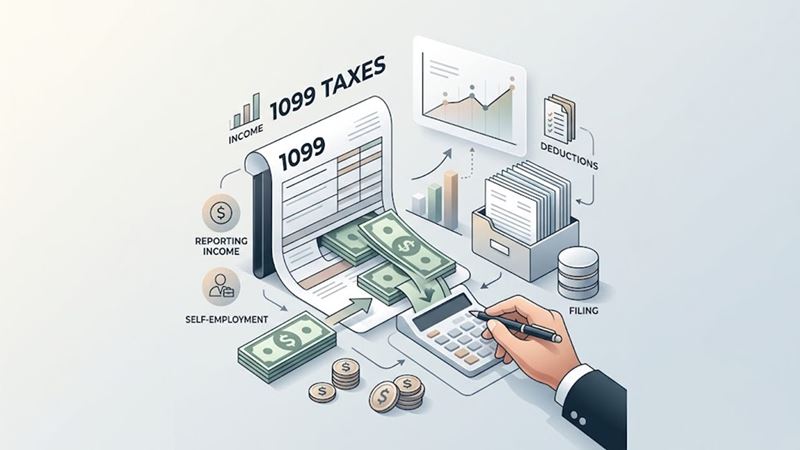
Invoices, 1099 forms and your taxes
- Report all income, whether or not you receive a tax form for it. Your invoices and bank records are your proof.
- Form 1099-NEC: for payments made from January 1, 2026, a business client generally files one only if it paid you $2,000 or more for services in the year, up from $600.
- Form W-9: clients often ask for one before paying. A sole proprietor can use an EIN, free from the IRS, instead of a Social Security number.
- No tax withheld: as a freelancer you pay income and self-employment tax yourself, usually through quarterly estimated taxes.
- Keep records at least as long as the IRS can audit the return, generally three years from filing, longer in some cases.
Our guide to 1099 taxes and self-employment tax explain what you owe.
Invoice, estimate or receipt?
| Document | When | Purpose |
|---|---|---|
| Estimate or quote | Before the work | Proposes a price the client can accept |
| Invoice | After delivery, or at agreed milestones | Requests payment |
| Receipt | After payment | Confirms the money was received |
| Credit memo | After a return or billing error | Reduces what the client owes |
After the invoice: receipts, reminders and credit memos
The invoice generator works together with our other free business documents. Once the client has paid, click "Create a receipt for this invoice": the receipt generator opens with the client, the items and the invoice number filled in, and a deposit shown as paid earlier. If a payment is late, "Create a payment reminder" prepares a polite payment reminder letter with the open balance. For a return or a billing error, "Create a credit memo for this invoice" starts a credit memo instead of changing the invoice you already sent. And if you quote prices before the work starts, the estimate generator turns an accepted estimate into an invoice with one click.
Your data stays on your device
The generator runs entirely in your browser. Your invoice is saved automatically in this browser's local storage, so it is still there when you come back on the same device. Nothing is sent to CarefreeCredits.com. To move an invoice to another device or keep a backup, use "Export invoice data" and later "Import invoice data". "Delete saved data" removes everything from the browser.
Frequently asked questions
Is this invoice generator really free?
Yes. There is no account, no limit on the number of invoices and no watermark on the PDF.
Can I add my logo?
Yes. Upload a PNG or JPG file. It is resized in your browser and appears on the preview and in the PDF.
Do I have to charge sales tax on my invoice?
It depends on your state, what you sell and where your customers are. Many services are not taxable, while most goods are. Check with your state's department of revenue.
How do I send the invoice to my client?
Download the PDF and attach it to an email, or upload it to the client's vendor portal. Add a payment link or bank details under "Payment instructions."
What invoice number should I start with?
Any system works as long as each number is unique, for example INV-0001, INV-0002 or a year prefix such as 2026-001. The tool counts up the last number for each new invoice.
Can I use other currencies?
Yes. You can choose U.S., Canadian and Australian dollars, euros or British pounds; the currency only changes the symbol and formatting, not the amounts.